
Systems | Development | Analytics | API | Testing

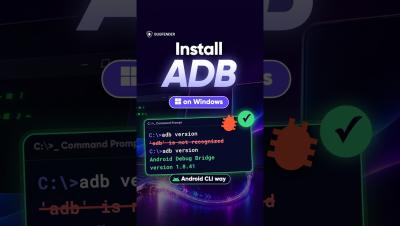
How to Install ADB on Windows the Fast Way: Android CLI, Platform Tools, Path + adb version #Shorts

How to install ADB on Windows the fast way, with the official Android CLI, then set up your Android phone. In short: copy one Android CLI install command from developer.android.com, run it in Command Prompt, install SDK Platform Tools (the package that includes adb) with one more command, add that folder to your Path and check it with adb version. Then turn on USB debugging on your phone. WHAT YOU NEED.
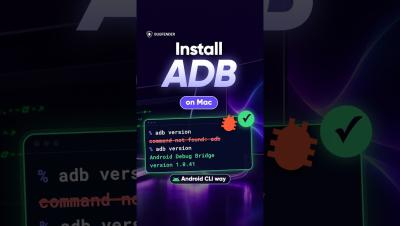
How to Install ADB on Mac the Fast Way: Android CLI, Platform Tools, PATH + adb version #Shorts

How to install ADB on a Mac the fast way, with the official Android CLI, then set up your Android phone. In short: copy one Android CLI install command from developer.android.com, install SDK Platform Tools (the package that includes adb) with one more command, add it to your PATH and check it with adb version. Then turn on USB debugging on your phone. WHAT YOU NEED.
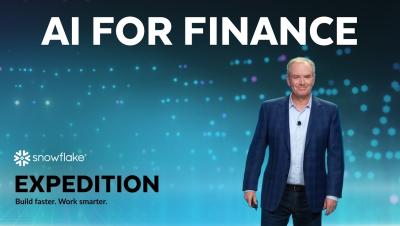
The AI Blueprint for Finance Teams: Expedition Keynote

Finance leaders face a clear mandate: prove AI ROI, govern AI costs, and transform how the CFO office operates. During this keynote, hear from Brian Robins, Snowflake’s Chief Financial Officer, on the trends, challenges, and opportunities facing finance teams today, including a firsthand look at how Snowflake's own finance team leverages Snowflake. Then follow a CFO through a continuous close cycle — from accelerating the close and explaining variance, to reforecasting and preparing for earnings — all powered by trusted data and AI.

What Is ADB? The Tool Every Android Developer Should Know (Client, Server, adbd) #Shorts #coding

What is ADB? The tool every Android developer should know. ADB (Android Debug Bridge) is a command-line tool that lets your computer talk to an Android device. Here is what you can do with it, and how its three parts work: the client, the server and the adbd daemon. WHAT YOU NEED.

Setting Up an AI-First Sales and Marketing Operating Model

What does it take to build an AI-first Marketing and Sales organization? Join Denise Persson, Snowflake’s Chief Marketing Officer, and Jon Beaulier, Snowflake’s Chief Revenue Officer, to explore how teams, shared business data, and clear responsibilities come together to put AI to work. Watch them use Snowflake CoWork to answer business questions, and hear what Snowflake’s own teams have learned about adoption and measuring results. Rob Giglio, Canva’s Chief Customer Officer, joins the conversation to share his perspective on leading teams, connecting Marketing and Sales, and the opportunities ahead with AI.

The Truth About End-to-End Testing Explained #softwaretesting #endtoendtesting #devops #qualitytest

End-to-end (E2E) testing brings your entire system together in a staging or UAT environment to test real user paths and ensure core functions work as expected. However, because E2E tests are non-comprehensive and miss edge cases, they must be combined with other testing methodologies. Learn more: speedscale.com.

New AI in Qlik Talend Studio - Introducing the Talend Studio AI Assistant

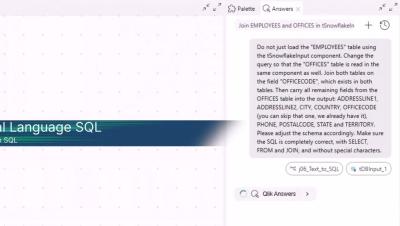
Mike Tarallo from Qlik highlights new AI features in Qlik Talend Studio designed to streamline data integration jobs. Key capabilities include automatic job documentation, intelligent field mapping, natural language SQL generation, AI-assisted troubleshooting, and custom routine creation. The natural language job builder enables users to describe their desired job, allowing the AI to construct it fully. These enhancements aim to help developers work more efficiently and reduce repetitive tasks.

The Next Frontier: Driving Efficient Intelligence in the Agentic Enterprise

In this Opening Keynote, CEO Sridhar Ramaswamy and EVP of Product Christian Kleinerman share how Snowflake powers the Agentic Enterprise, delivering efficient intelligence on one open, governed foundation. Through live cross-functional demonstrations and Fortune 500 executive insights, they will demonstrate how business and technical teams can effectively take action where work happens.

Kong in 5: AI Gateway 2.0 on Kubernetes

Kong AI Gateway 2.0 can be installed on Kubernetes in about five minutes using Kong Operator, Helm, and a self-managed control plane in Konnect. This walkthrough starts with a two-node cluster, creates a new AI Gateway in the Konnect UI, and installs Kong Operator with Helm. It then generates a personal access token, applies the API auth secret, and deploys the data plane through custom resources. You’ll see how to configure replicas, image, and load balancer ports in the YAML. This is the first video in the Kong in 5 series for Kong customers and users.