
Systems | Development | Analytics | API | Testing

Publishing React Native OTA Updates from CI: Ship Fast Without Skipping QA

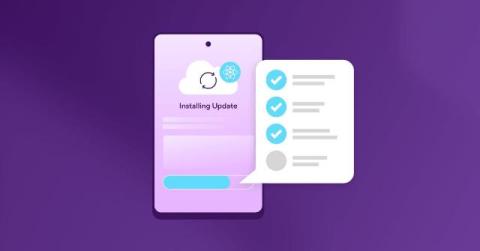
There is a reasonable suspicion about over-the-air updates: that they ship code which has not been through the QA a store release gets. A store build is linted, tested and built on a clean machine from a known commit. An OTA push often comes from someone’s laptop. The fix is not to avoid OTA. It is to send OTA updates through the same pipeline, with the same gates. Then a failed test stops an update exactly as it stops a store build.
React Native Logging: From console.log to Production

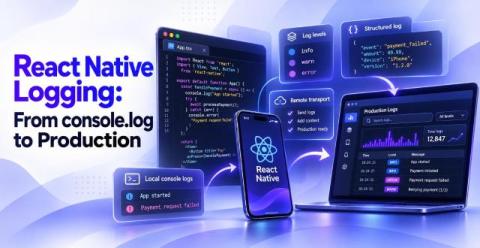
console.log is the foundation of logging in React Native. It gives you immediate feedback, it’s easy to use and it integrates with several developer tools. But if you want continuous visibility throughout your app’s lifecycle, console.log only takes you part of the way there. Once your app ships, you lose the convenient development environment that makes console output easy to inspect, and you want have automatic access to the logs.

React Native OTA updates: best practices for shipping safely

Over-the-air (OTA) updates let you fix a bug in your React Native app and get it to users the very same day, without waiting for App Store or Google Play review. That speed is why teams adopt OTA. It’s also where things can go wrong: push a JavaScript bundle to the wrong app version and a small bug becomes a crash.

Make React Native builds 4x faster with fingerprint-based caching on Bitrise

Build tools have relied on it for years to avoid redoing work that hasn't changed. In React Native CI it's still a bit of a secret sauce: a fingerprint-based caching technique that can make your builds several times faster, yet one that surprisingly few teams have switched on. The premise is simple: most of the time you're only changing JavaScript, so most of the native modules are reusable.

Systematizing Interface Assets Across Distributed Teams

Managing a React component library for five independent product teams reveals a specific type of asset rot. Repositories fill up with disjointed vector files incredibly fast. One squad grabs a thick-lined navigation graphic for their dashboard. Another imports a hyper-detailed two-color asset for a settings panel. Suddenly, your platform interface looks like a patchwork quilt. Users notice these inconsistencies immediately.

React Native Automation Testing: Best Practices, Tools, and Frameworks

Cross-platform builds promise rapid delivery through a shared codebase, yet QA teams encounter stubborn regression roadblocks across Android and iOS. React Native connects JavaScript threads to native host views via an asynchronous message channel. When test runners dispatch actions faster than native components finish rendering, automated assertions trigger false alarms without underlying code failures.

How to self-host OTA updates for React Native

If you are a React Native engineer, your job isn’t typically about maintaining infrastructure. So “self-hosted OTA” can sound like a trap. Even if your Expo Update bill is hitting six figures, it’s easy to assume that self-hosting isn’t worth the potentially huge time sink. That fear is understandable, but it doesn’t have to play out that way.

Designing scalable OTA update architecture for React Native

Self-hosting OTA updates became common after App Center and CodePush shut down in 2025. CodePush had been the popular free option, but the remaining hosted services easily hitting five or six figure bills for popular apps. For staging-only or use with small user bases, self-hosting is fairly straight forwards. But, as the user base grows, the architecture can start to struggle and bolt on pieces are required.

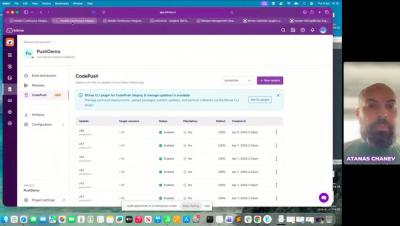
React Native OTA updates: Bitrise CodePush demo

From our CodePush webinar: a practical walkthrough of setting up and managing CodePush for over-the-air (OTA) updates on Bitrise using a React Native application. Staff Solutions Engineer Atanas Chanev shows you how updates are handled by pushing a direct update via the command-line interface, promoting a staging release to production, and executing an emergency rollback to a previous version using the API.