Systems | Development | Analytics | API | Testing

The Most Expensive Line in Your Data Budget Is the One You Can't See

Every data platform decision has a default setting, and the default is wait. Not because leaders think the current stack is great. Because “we’ll modernize next year” feels responsible. It sounds like discipline. It reads like you’re protecting the budget. Here’s the part that never makes it into that conversation: waiting is not the free option. It’s a spending decision, and it renews every month whether or not anyone signs off on it.

From BI to Agentic AI: Why the Dashboards You Built Are the Foundation for Agents

Two questions stall almost every agentic AI rollout: Is it secure? And what is this going to cost us? Both get harder to answer the longer you wait to ask them, and easier to answer than most teams assume. If you've already invested in a robust data analytics platform like Qlik, you're closer to a secure, governed, and cost-effective agentic AI deployment than the market's “rip and replace” narrative suggests.

Trust, Traceability, and Choice: What We Believe Our 2026 IDC MarketScape Leader Recognition Means for Your Data

Qlik has been named a Leader in the IDC MarketScape: Worldwide Data Intelligence Platform Software 2026 Vendor Assessment. I'll say the obvious part first: we're proud of this. Independent recognition matters, and this one reflects work happening across every team at Qlik. But analyst recognition on its own doesn't help you run your data estate.

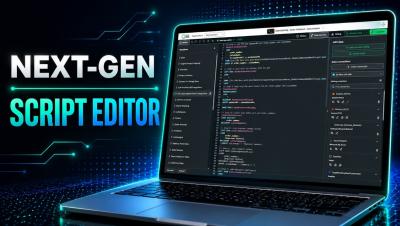
Qlik Script Editor Gets a Major Upgrade

Qlik Cloud just introduced a modern, IDE-grade editing experience for the Data Load Editor and Script Editor — now available in Public Preview. In this video, Michael Tarallo walks through what's new, including dark mode, improved syntax highlighting, code folding, smarter navigation, autocomplete, and code refactoring with Rename Symbol. Learn how to activate the Next-Gen Script Editor in your tenant and see how these updates make everyday Qlik scripting faster and more intuitive.

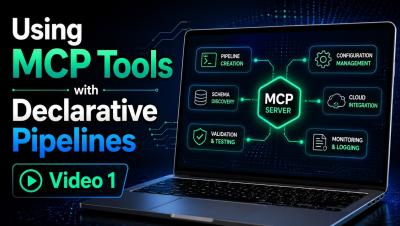
Using MCP Tools for Declarative Pipelines - Video 1

This is Part 1 of a two-part video series exploring how Qlik MCP tools can be used with declarative pipelines directly within VS Code. In this video, I demonstrate how to use the MCP tools to explore and validate your Qlik environment before building anything—identifying available connections, inspecting source tables, reviewing pipeline project information, and verifying the resources you plan to use.

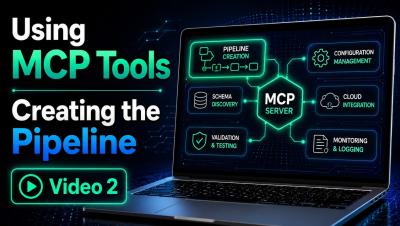
Using MCP Tools for Declarative Pipelines - Creating the Data Pipeline - Video 2

This is Part 2 of a two-part video series exploring how Qlik MCP tools can be used with declarative pipelines directly within VS Code. In this video, Mike Tarallo, demonstrates how to now create the data pipeline using declarative YAML in VS Code. You will see the creation process, learn some tips and tricks and see the final result.

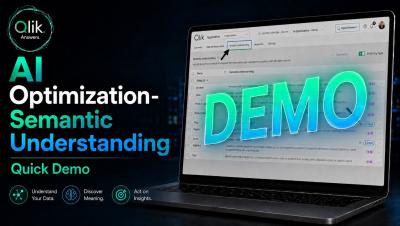
AI Optimization - Semantic Understanding - Quick Demo

AI Optimization is a workspace for managing how Qlik Answers understands an application. It brings semantic management into one experience, where you can review AI-generated semantic understanding and make corrections before they reach an answer. The result is a visible, correctable layer where there used to be none. AI Optimization is the central place to manage how Qlik Answers interprets your application. Semantic Understanding, inside it, shows and lets you edit this interpretation of each field and master item.