Systems | Development | Analytics | API | Testing

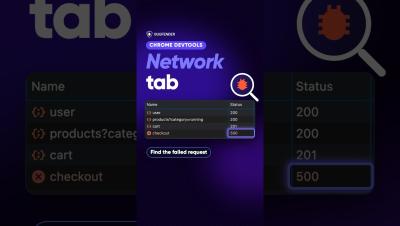
How to Use the Network Tab in Chrome DevTools: Find Failed Requests, Payload and Response #Shorts

How to use the Network tab in Chrome DevTools: open DevTools, reload the page, filter to Fetch/XHR, then click a request to read its Headers, Payload and Response. A status in the 400s or 500s tells you which request failed.


Kong Context Mesh

Kong Context Mesh composes APIs, data, and documents into a single MCP interface that AI agents can call directly, with no custom harness or extra instructions. Built on Kong Konnect, it supports different authentication strategies and data structures, and avoids context window bloat through progressive disclosure and on-the-fly execution. Agents discover tools just in time and retrieve only the context needed for the task. The demo connects internal APIs and external MCP servers, then uses Claude Code to complete a multi-source task.

Sidekiq Unique Jobs: Three Ways to Avoid Duplicates

To avoid duplicate Sidekiq jobs, you have three options: guard enqueues yourself with database flags or a queue scan, use Sidekiq Enterprise’s unique_for option, or add the free sidekiq-unique-jobs gem, which locks jobs in Redis by class and arguments. On Sidekiq 8, sidekiq-unique-jobs 8 with lock: :until_executed covers most cases.

Error handling in Elixir

In a world where we glorify fast output and moving on to the next thing, we often find ourselves thinking in happy paths only. Let's be honest, though — errors happen. And when you start thinking about properly modelling and handling them when the project is already in full swing, you are too late. Good errors can help reveal what works and what doesn't work.

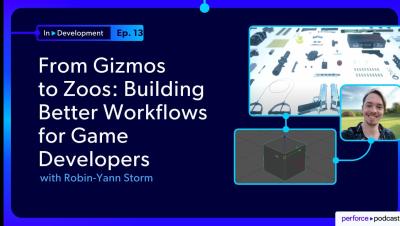
From Gizmos to Zoos: Building Better Workflows for Game Developers with Robin-Yann Storm

How do you solve problems that nobody reports? In this episode, Robin-Yann Storm, tool design director and former developer at IO Interactive, Guerrilla Games, and Apple, shares how a small usability issue with a 3D transform gizmo led to a workflow improvement that developers still use years later, saving thousands of hours. The discussion looks beyond the solution itself to examine the process of discovering the problem, understanding its root cause, and exploring how to solve it. Robin-Yann explains why observing users is often more valuable than collecting feature requests and how small UX improvements can deliver outsized returns.

Are Traditional Methods and Tools for Safety and Security Sufficient for the AIDLC of the Future?

AI may make coding faster, but can your safety, security, and verification practices keep pace? In this webinar, Perforce Director of Product Steve Howard examines how the emerging AI Development Lifecycle (AIDLC) could reshape embedded software development and specifically V&V processes. You'll also learn where AI can help, where its limitations remain, and what organizations should consider as they prepare for AI-driven development.

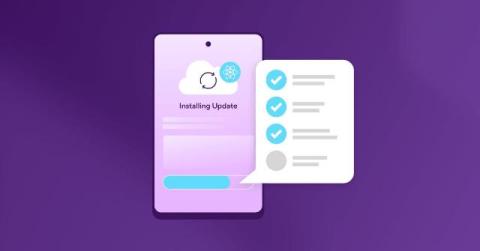
React Native OTA updates: best practices for shipping safely

Over-the-air (OTA) updates let you fix a bug in your React Native app and get it to users the very same day, without waiting for App Store or Google Play review. That speed is why teams adopt OTA. It’s also where things can go wrong: push a JavaScript bundle to the wrong app version and a small bug becomes a crash.

Why API Security Is Foundational to AI Security (Akamai Study)

Secure AI starts with securing the APIs underneath it. This session breaks down why APIs and MCPs are the control plane for AI apps and agents, where unmanaged API risk hides, and how security and platform teams can improve visibility, posture, runtime protection, and governance across production environments. KEY TAKEAWAYS TIMESTAMPS.

Don't Let Accessibility Testing Become Your Next Nightmare

On Halloween, appearances win. A great costume gets the best candy, and nobody asks what’s underneath. Digital products get judged the same way on launch day. The interface is polished, the demo goes smoothly, and every stakeholder walks away happy. Then someone opens the app with VoiceOver or TalkBack, and the mask slips. Buttons have no labels. Focus jumps around the screen. A form can’t be completed with a screen reader.

Designing Gradle Task IO for Build Caching: what I didn't see coming

When the engineering team first described what they wanted to build, I nodded along like I knew exactly what they meant. Gradle task inputs. Cache misses. Invocation diffs. Sure, totally. I wrote it all down and quietly Googled half of it afterward. That was my introduction to designing Gradle Task IO for Bitrise Build Cache, a feature built to help engineering teams understand why builds are slow and get more value from build caching.