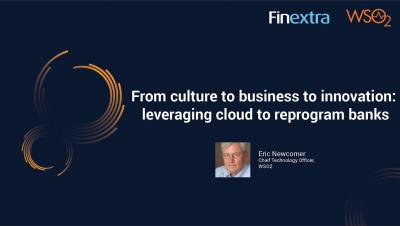
In this 2 part series, Eric Newcomer, Chief Technology Officer at WSO2 speaks to FinextraTV about the type of technologies that are conducive to self-disruption, what banks need to consider when revamping their technology and operations divisions to promote innovation, how this translates into a culture of innovation, and how migration to the cloud reinforce banks’ cybersecurity and resilience.
In this 2 part series, Eric Newcomer, Chief Technology Officer at WSO2 speaks about self-disruption across the industry, what is meant by this and how this approach is helping FIs address business challenges. We learn how the internal disruption that comes with new technology strategies can benefit the customer, the type of strategies that could formalise this natural disruption to create a process of structured self-disruption, and how this fits in with the regulatory landscape.
Adaptive authentication is an evolved form of MFA where the authentication mechanism is decided depending on the user’s risk profile and behavior. In this episode of #IdentityIn15, we are going to discuss with you about what is #adaptiveauthentication, sample adaptive authentication script, write a custom adaptive authentication function, and how to use adaptive authentication with the #WSO2identityserver.
Nowadays most businesses adopt GraphQL Subscriptions for their event-driven applications for interactive and immediate user experience. WSO2 API Manager 4.1.0 helps you to create, publish and deploy GraphQL APIs with subscriptions. API Manager Gateway manages your GraphQL subscription backends by applying authentication, authorization, rate limiting, query payload validation, query complexity, and depth validation.
Choreo Connect 1.1.0 supports multiple topics, rate limiting, API Insights for WebSocket APIs. Multiple topics support URL mappings which may include path params. You can enable advanced, application or subscription rate limiting based on event count or data bandwidth. API analytics can be published to the Choreo platform. Try out in your local environment.
This video explains how to view data sources from the WSO2 Micro Integrator Dashboard. In the video, we demonstrate the properties and configurations of the data sources which can be viewed using WSO2 Micro Integrator Dashboard 4.1.0.
The top down approach of API first integration provides the capability for API developers to start creating a managed REST API first in WSO2 API Manager. Then the integration developer can use the same API in the WSO2 Integration Studio to develop the integration later on and expose it to WSO2 API Manager. Thereafter, the API consumers can discover the API from the marketplace, subscribe to it, and use it for application development.
With the WSO2 API Manager 4.1.0 release, we introduce the new and improved Operation Level Policy Support Feature. This feature replaced the Message Mediation Feature we had in previous API Manager versions.
WSO2 Integration Studio is a drag-and-drop graphical development environment for WSO2 Enterprise Integrator. It provides efficient integration artifact development and accelerates development lifecycles. You can use Integration Studio to configure data services. Data services are used to expose your data sources as REST or SOAP services. In the previous release of integration studio, the data service had to be designed and configured from scratch, which is time-consuming. This is a limitation when it comes to doing quick demonstrations and also for the first user experience.