Systems | Development | Analytics | API | Testing

Simple Way to Create Complex JMeter Scenarios

Introduction Creating complex performance testing scenarios in JMeter can be a complicated but necessary problem you will encounter as you build tests to mirror real user behaviour in your testing. There are many add-ins that can support you in the creation of these scenarios. Which is good if they do what you want them to do.

Gatling: Simulation Scripts Parameterization

This blog post is a tutorial for writing Gatling scripts to load test web applications. It follows our first getting started with Gatling simulation scripts article. The application under test is a fake e-commerce. We are going to create a Virtual User that browses articles in this shop. To create a dynamic load test we will cover several topics.

Gatling: Getting Started With Simulation Scripts

Gatling is a load testing tool for measuring the performance of web applications. As such, it supports the following protocols: HTTP, WebSockets, Server-sent events. Other protocols are also supported either by Gatling itself (like JMS) or by community plugins. Gatling load testing scenarios are defined in code, more specifically using a specific DSL. This guide focuses on the basics of writing a simulation to test an HTTP application: OctoPerf’s sample PetStore.

Why monitoring website performance is important?

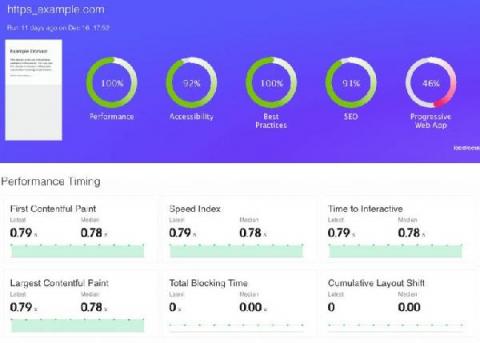
Nowadays, in the era of instant gratification, when everyone want everything in a matter of moments, understanding the performance of your website, web application, web service is more important than has ever been. Using web performance tools to understand how your application behaves is easy and a best practice that you should follow on a daily basis.

Using Selenium IDE Record and Playback tool

Selenium IDE is an open source record and playback tool used. Easy to use and fast in generating UI functional test cases. End to End testing is quite fast when you create tests from the Selenium IDE Chrome Extension or Firefox Add-on. Debugging tests, setting breakpoints, running an UI test to a specific test step work out of the box the new version of Selenium IDE. Test suites are available in order to group previously generated test cases, and exporting your test cases is a click of a button away.

Using TestCafe for End to End Testing

TestCafe is a Node.js tool to automate end-to-end web testing. End to End tests cover real journeys that your customers do, they are slower to execute but can be much more valuable comparing to unit and integration tests. TestCafe is a Node.js tool to automate end-to-end web testing and functional testing. TestCafe uses a URL-rewriting proxy called Hammerhead that emulates commands using the DOM API and injects JavaScript into the browser.

Managing Continuous Performance Testing in CI/CD Pipeline

Nowadays performance is everything. It only takes one second of lag time to lose 7% of the conversions you would have had if your performance met the standards of your users. So how can agile teams keep up with their continuous delivery cycles and ensure they execute all the necessary performance tests? One way to do this is to integrate performance testing into your CI/CD pipeline.

Managing Data During Performance Testing

Introduction We are going to talk about data in this blog post, predominately test data required for performance testing. This is something that makes the life of a performance tester extremely difficult and awkward as because of the huge quantities required, in the right state, that match the criteria required for your test to run. We often have to approach the use of large quantities data for the purpose of performance testing in a number of ways.

Test your real-time communications application with Loadero

Loadero simplifies creation, running and hosting of end-to-end tests for real-time communications applications. These tests will exercise all flows involved in the application and provides a way to do performance assertions. Loadero can be used to test webRTC applications that require webcam and microphone inputs. Once the tests have finished running, webRTC statistics like jitter, latency and bandwidth are available for analysis. If certain thresholds for statistics are known, they can be enforced with post-run assertions.