JMeter Cloud LoadTesting Tool from LoadFocus
JMeter Load Testing with thousands of virtual clients from multiple world regions: https://loadfocus.com/jmeter-load-testing
Twitter: https://twitter.com/loadfocus
JMeter Load Testing with thousands of virtual clients from multiple world regions: https://loadfocus.com/jmeter-load-testing
Twitter: https://twitter.com/loadfocus
Often software developers get to ask themselves the question: Should I just run the tests in the GUI now that I finished developing them? The answer is pretty simple, NO. You should not use the GUI when running the tests. The GUI should be used only for developing the tests.
Why is Apache JMeter very slow when creating and running load tests? If you just downloaded and opened Apache JMeter and the UI it feels very slow, here are some items you can follow to make Apache Jmeter GUI move faster.
A lot of times you will need to install some extra plugins that will help you in developing or running the performance tests. For this you will need to use the JMeter Plugins Manager. Below are the steps needed to install the Plugin Manager and install extra plugins: Written by Cristian Vazzolla.
When starting with Apache JMeter for performance testing the first step you need to take is to install JMeter on your development machine so that you can develop the test scripts. For installing JMeter on Mac machine you have a couple of options: In case you do not know what Homebrew means, we can say just that is a package manager for macOS. (For more information on how the set up Homebrew you can find on https://brew.sh/.
Cypress is one of the best web testing frameworks created so far. With more and more new web development frameworks on the market, it’s harder and harder to find an end to end testing or integration testing framework that would work well in any situation. In the recent years, we’ve seen a spike in web development frameworks, from Angular 1 or Angular 2, to the more popular React and VueJs, to new one like Svelte, and less popular like EmberJs and BackboneJs.
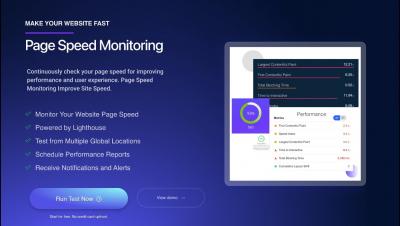
Nowadays, in the era of instant gratification, when everyone want everything in a matter of moments, understanding the performance of your website, web application, web service is more important than has ever been. Using web performance tools to understand how your application behaves is easy and a best practice that you should follow on a daily basis.
Selenium IDE is an open source record and playback tool used. Easy to use and fast in generating UI functional test cases. End to End testing is quite fast when you create tests from the Selenium IDE Chrome Extension or Firefox Add-on. Debugging tests, setting breakpoints, running an UI test to a specific test step work out of the box the new version of Selenium IDE. Test suites are available in order to group previously generated test cases, and exporting your test cases is a click of a button away.
TestCafe is a Node.js tool to automate end-to-end web testing. End to End tests cover real journeys that your customers do, they are slower to execute but can be much more valuable comparing to unit and integration tests. TestCafe is a Node.js tool to automate end-to-end web testing and functional testing. TestCafe uses a URL-rewriting proxy called Hammerhead that emulates commands using the DOM API and injects JavaScript into the browser.
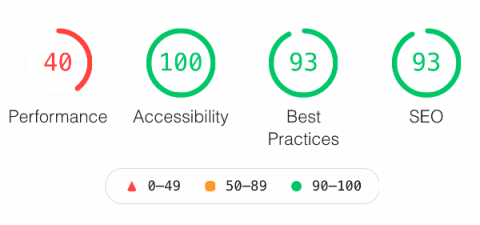
KissFront uses Google Lighthouse as a Service for continuous modern performance audits. KissFront’s Chrome Extension for Google Lighthouse is live now. This will enable easier view of the modern performance metrics like Performance Score, First Meaningful Paint, First Contentful Paint, Speed Index and others.