Systems | Development | Analytics | API | Testing

Production Debugging: A Complete Guide to Fixing Live Bugs

We’ve all had this problem as developers. An app works perfectly fine in our own local environment, but as soon as it hits the real world it starts throwing glitches all over town. Why does this happen? Because the real world is messy and hard to predict. Some bugs are only triggered by real users, real devices, and real data. This makes them harder to diagnose – but not impossible.


What Are iOS App Clips? How They Work for iPhone Apps #iOSDevelopment #AppClips

What are iOS App Clips? They are lightweight versions of an iPhone app built for one specific action, such as ordering, paying, or booking. Users can open an App Clip from a link, QR code, NFC tag, Maps, or Messages. They can complete one useful action without searching the App Store, installing the full app, or going through a long signup and onboarding flow. App Clips reduce friction and give people a quick way to try an iOS product before downloading the complete app.

How to Use ChatGPT Codex in Terminal to Build Your First Tool #aicoding #iosdev #aidevelopment

You don’t need a big app idea to try Codex. A messy Downloads folder is enough. In this beginner walkthrough, you’ll ask ChatGPT to write a prompt in plain language, then paste it into Codex in Terminal to build a simple file organizer. You’ll see how to: The file names and folder contents shown are fictional examples. Your first version doesn’t have to be perfect; you can improve it with follow-up prompts.

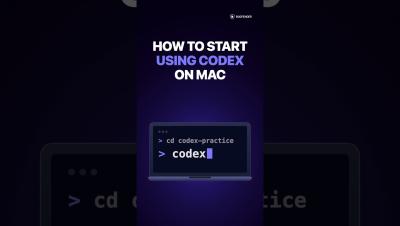
How to Use ChatGPT Codex on Mac for the First Time #shorts #aicoding #aidevelopment #iosdev

Never used Codex before? This beginner tutorial shows how to start using OpenAI Codex on a Mac, step by step, after it is installed. What you'll do: Commands from the video (replace the path with the one you copied; your folder path will be different): cd /Users/yourname/Desktop/codex-practice codex First prompt: Create a text file named hello.txt with the words "My first Codex file." Tell me where you saved it.

How to Find and Fix JavaScript Memory Leaks

Memory leaks are the bugs that really creep up on you. One minute your app is running perfectly, then suddenly it slows to a crawl or crashes. We don’t get a warning with memory leaks, so we need to prepare proactively and be ready when they hit. This means we need to: This guide is here for all of that.

Remote Debugging in IntelliJ: A Practical Guide

Remote debugging using IntelliJ IDEA offers several benefits. Using this JetBrains IDE, you get interactive breakpoints, variable inspection, and debugging integrated directly with the IntelliJ editor. However you can also introduce configuration complexity and potential security risks if you don’t get it right. IntelliJ has become a favorite of the Bugfender team and in this post we’ll walk through the full setup, from the JVM flag to debugging inside a Docker container.

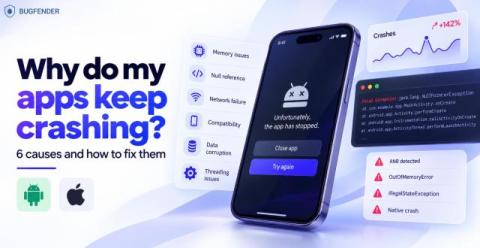
Why do my apps keep crashing? 6 causes and how to fix them

An app crash is one of the fastest ways to drain both users and rankings. Many users will uninstall an app after just one crash, and both the App Store and Google Play will penalize crash-prone or unstable apps. At Bugfender, we’ve been investigating app crashes since 2014. In this post we’re going to share all our key learnings, so you can: You’ll come away with a reliable, repeatable way to anticipate app crashes – wherever they happen. This post is generally platform-agnostic.

Progressive Web Apps (PWAs): What They Are and How to Build One

Progressive Web Apps (PWAs) combine the reach of the web with many native app capabilities. Users get an app-like experience without the traditional app-store download process, while developers can build and maintain experiences from a shared web codebase. This doesn’t mean PWAs are simple to build, however. They must provide a reliable experience across different browsers, devices and network conditions.

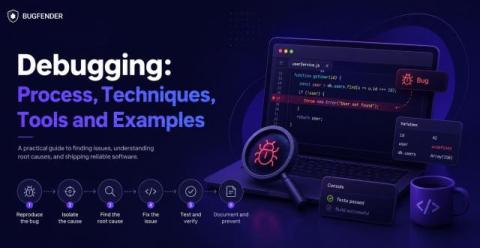
Debugging: Process, Techniques, Tools and Examples

Debugging is an essential skill that allows software developers to prevent crashes and maintain reliable code. Virtually all applications run into bugs at some point, due to logic errors, unexpected inputs or system interactions. It’s vital that we have effective tools and processes to resolve them. This guide will give you a step-by-step guide to debuggging, highlighting common error types with practical means to resolve them.

Android App Crashes: Causes, Detection, and Fixes

Android app crashes will cost us users and damage our Play Store ranking. To prevent them from happening, we need to understand the most frequent causes of crashes, read the stack trace effectively, and have plans for common painpoints such as null values. This article will give you the tools to do that.