Systems | Development | Analytics | API | Testing

Android App Crashes: Causes, Diagnosis, and Fixes

Android app crashes are a nightmare for developers. But they rarely come out of the blue. Most crashes stem from structural causes like leaky memory or sloppy resource management, and most failures will have a root cause that surfaces in either logcat or the stack trace. This post will give you a true Android crash course, showing you the tell-tale signs and the tried-and-tested fixes that work across devices, territories and app utilities.

Sovereign by Design: Why AI Turns Data Sovereignty From Principle Into Foundation

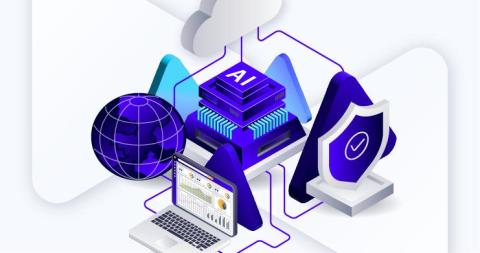
Sovereignty is no longer a compliance debate. It is the operating condition for running data and AI in production. 89% of organizations in our 2026 survey of 320 enterprises rate data sovereignty as very or rather important. Only 38% have governance mature enough to survive a real AI production incident. That is the gap. It sits exactly where data and AI architecture meet enterprise control, and it is the central tension of the year.

How Perfecto Supports Perforce Autonomous Testing

Your customers judge your applications in seconds. A misaligned button, a broken checkout flow, a slow-loading screen on an older Android device: any of these can send users to a competitor. Yet the testing methods meant to catch these issues often can't keep up with the pace or scale that modern web and mobile delivery demands. For QA leaders, the math no longer works. More devices, more browsers, more releases, and the same scripts that break every time the interface shifts.

Accessibility Testing for Regulated Industries: How Perfecto Helps Teams Achieve Compliance at Scale

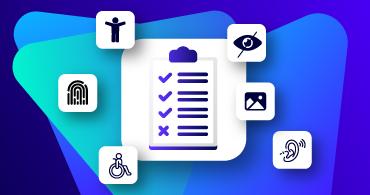
Accessibility compliance is no longer a box to check at the end of a release cycle. For government agencies, healthcare providers, and educational institutions, it is a legal mandate and a user experience imperative that must be validated continuously throughout the software development lifecycle.

Perfecto AI Desktop Testing Brings Native Apps Into Your Automation Strategy

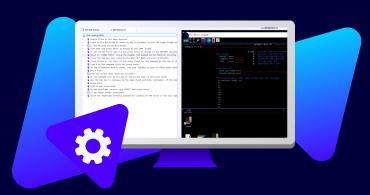
For years, native desktop applications have been the part of your portfolio that automation forgot. Your team automates web and mobile with confidence. Then there's the.NET client over a mainframe, the EPIC workflow, the proprietary trading terminal, and the packaged Windows app that breaks every time someone moves a button. These applications run your most regulated, high-stakes processes, and they stay locked in manual testing year after year. Perfecto AI Desktop Testing changes that.

How Appian Provides AI Guardrails and Controls

AI agents make thousands of decisions per day, at volumes no human-centered governance model can realistically supervise. According to IBM's 2026 Tech Leader Study of 2,000 CIOs/CTOs in 33 geographies across 19 industries: The study concludes that organizations face a trap: prioritize speed, and governance falls behind; or prioritize safety, and deployment stalls, weakening the organization’s competitive position.

Comprehensive guide to working with Python markdown

If you use the Internet, you have surely come across the term Markdown. Markdown is a lightweight markup language that makes it very easy to write formatted content. It was created by John Gruber and Aaron Swartz in 2004. It uses very easy-to-remember syntax and is therefore used by many bloggers and content writers around the world. Even this blog that you are reading is written and formatted using Markdown.

Why Installing an npm Package Can Execute Code on Your Machine (And Why npm v12 Finally Changes That)

For years, the Node.js community has typed the same command billions of times: It's probably the most frequently executed command in the JavaScript ecosystem. We use it to start new projects, add dependencies, update existing ones, or simply bootstrap a development environment. It has become such a routine part of our workflow that most of us no longer stop to think about what actually happens during those few seconds while npm fills node_modules.

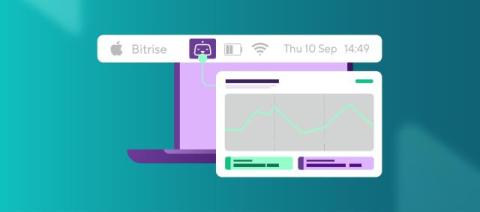
Bitrise Desktop App: build statuses in your menu bar

Introducing the Bitrise Desktop App; a small native app that lives in your macOS menu bar and shows the live status of your builds in the one spot you already glance at all day. There's nothing to open, refresh, or check: the status of your builds is right there for you to glance at. Meaning you can push builds, keep coding, and look up only when something needs you. Available today for macOS: Download for Mac.