Systems | Development | Analytics | API | Testing

Why GitHub Actions Isn't Built for Mobile CI/CD (And What to Use Instead)

GitHub Actions is one of the best CI/CD platforms available today. For web apps, backend services, and infrastructure automation, it’s hard to beat. Deep GitHub integration, a massive marketplace of community actions, flexible YAML-based workflows, and a pricing model that’s generous for open-source projects. There’s a reason it dominates. But if you’re building mobile apps, especially for iOS, GitHub Actions starts to fight back. Not because it’s a bad tool.

How a Marketing Intern Ended Up Running Claude in a Terminal

Before I ever ran Claude in my terminal, I thought I already understood AI tools pretty well. Like most people, I had used ChatGPT, Google Gemini, and Perplexity for everyday tasks. Such as helping with schoolwork, organizing ideas, summarizing information, or getting through something faster when time was tight. They were useful, but they still felt separate from how real work happened.

React Native Over-the-Air Updates in 2026: Skip the App Store Wait with Codemagic CodePush

If you’ve shipped a React Native app to production, you already know the feeling. A bug surfaces. Users are reporting it. Your fix is written, tested, and ready to go. And then you wait. Two days. Sometimes three. Occasionally five. App Store review doesn’t care that your ratings are dropping or that your support queue is filling up. It moves at its own pace, and your users experience every hour of the delay. CodePush over-the-air (OTA) updates change that equation entirely.

React Native Over-the-Air Updates in 2026: Skip the App Store Wait with Codemagic CodePush

Tired of waiting days for App Store review every time you need to ship a fix? In this video we break down how Over-the-Air (OTA) updates work for React Native apps and how Codemagic CodePush lets you push hotfixes, run experiments, and do controlled rollouts without touching the App Store or Google Play.

Replay Real Customer API Sessions as Datadog Synthetics Tests

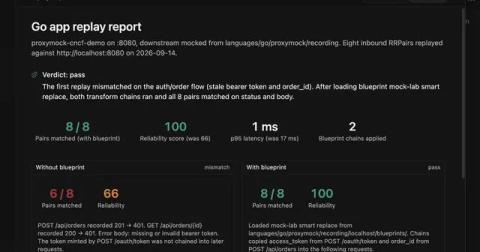
A customer pings support: “I tried to check out twice this morning and got a 500 each time, but it works fine for everyone else.” The session ID is in the email. You have full request/response capture in your environment, you have Datadog Synthetics already running browser checks against the same flow, and you still spend the next two hours grepping logs because none of those tools let you say “show me just this user’s requests, in order, and re-run them.”