Systems | Development | Analytics | API | Testing

Raw WebSockets for AI streaming: when patching stops paying off

Raw WebSockets drop connections, lose track of canceled responses, and don't natively reach a second device. If your AI streaming feature has been in production for a while, you've probably already built a fix for at least one of these and found another one waiting. Reconnection, cancellation, multi-device delivery, and crash detection are the four problems raw WebSockets leave for you to solve, and each is its own piece of infrastructure to build. Solve one, and the other three remain unsolved.

From IoT Data to AI-Ready: The Edge Solution

Is your data actually ready for AI? While companies rush to deploy machine learning models, 83% of executives realize that high-value, real-time data is trapped at the physical edge—on factory floors, inside hospitals, and at retail terminals. With billions of connected IoT devices, managing this data creates massive hidden headaches like security risks and pipeline blind spots. True AI readiness starts at the edge. Bridge the gap between your edge devices and your AI goals today.

Ep 88 | AI Adoption vs. Adaptation: What Problem Are You Solving?

Paul McDonough-Smith estimates that many business leaders would struggle to define their organization’s problem clearly in fewer than 25 words. With AI, that lack of clarity can quickly turn into fragmented solutions and misplaced expectations. In this episode of The AI Forecast, Paul Muller sits down with Paul McDonough-Smith, a Visiting Senior Lecturer at MIT Sloan School of Management and a Senior Advisor to NASA's Goddard Space Flight Center, to explore how organizations can approach AI with greater clarity and purpose.

How AI Is Rebuilding the Insurance Claims Automation Lifecycle: The 2026 Guide

AI is restructuring how insurers run the claims lifecycle end to end from first notice of loss through payment and closure. This guide breaks down where AI insurance claims automation is delivering measurable results in 2026, the reference architecture behind it, and what insurers should prioritize first. Insurance claims automation 2026 connects AI, workflow orchestration, and core systems across the claims lifecycle the specific discipline behind Zymr’s own claims processing automation practice.

Add resumable streaming and reliable tool calling to your OpenAI agent

If you build an agent against OpenAI's Responses API then the simplest way to get output to the user is streaming over HTTP/SSE. If the user refreshes the page, loses connection, switches devices, or needs to approve a tool call, then there's nothing in the API to help you. AI Transport is Ably's session layer for agent-to-user conversations. An agent built on it gets resumable streams, multi-device sessions, and approval gates that wait for a human user, without deploying additional infrastructure.

AI Changed Everything. Except What Matters.

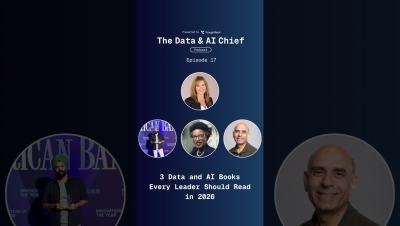
AI changed the process, but not what matters. In the latest episode of The Data & AI Chief, three authors explore what it takes to lead through the AI era, from scaling innovation to building AI-ready data foundations to keeping humans at the center. This episode features: Linda Hill, Harvard Business School Professor and author of Genius at Scale, on scaling innovation and leading through uncertainty.

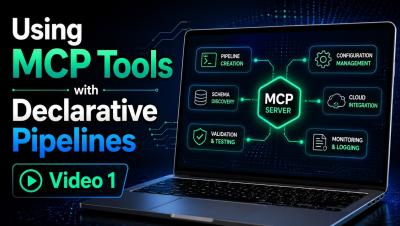
Using MCP Tools for Declarative Pipelines - Video 1

This is Part 1 of a two-part video series exploring how Qlik MCP tools can be used with declarative pipelines directly within VS Code. In this video, I demonstrate how to use the MCP tools to explore and validate your Qlik environment before building anything—identifying available connections, inspecting source tables, reviewing pipeline project information, and verifying the resources you plan to use.

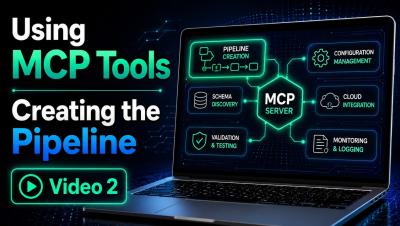
Using MCP Tools for Declarative Pipelines - Creating the Data Pipeline - Video 2

This is Part 2 of a two-part video series exploring how Qlik MCP tools can be used with declarative pipelines directly within VS Code. In this video, Mike Tarallo, demonstrates how to now create the data pipeline using declarative YAML in VS Code. You will see the creation process, learn some tips and tricks and see the final result.