If someone had told my 15-years-ago self that I’d become a DevOps engineer, I’d have scratched my head and asked them to repeat that. Back then, of course, applications were either maintained on a dedicated server or (sigh!) installed on end-user machines with little control or flexibility. Today, these paradigms are essentially obsolete; cloud computing is ubiquitous and successful.
After you successfully build and test your app, you may want to upload the build to TestFlight or the App Store. Sometimes, you may face an unknown authentication error that makes it difficult for you to upload the iOS binary to App Store Connect. You may even face an authentication error after using a valid App Store API key. If you’ve faced this problem, you’re not alone.
Have you ever faced the task of implementing a REST API and had to call multiple endpoints to populate data for a single screen? You probably wished you had more control over the data returned by the endpoint so that you could fetch more data with a single endpoint call or have only the necessary data fields returned by the call. Follow along to see how you can achieve this with GraphQL. In this article, we’ll be implementing GraphQL in an existing codebase.
As the size of a software project grows, so does the complexity of integrating changes made by multiple developers and resolving conflicts and other issues as they arise. Quality control can also become progressively more difficult without proper management of the build pipeline. Automated builds are the standard solution to this problem across the industry. Understanding build automation in detail is a valuable skill for any developer, no matter the size of their team.
TL;DR: To add events monitoring with Crashlytics to a Unity Android app, you’ll first need to prepare a Firebase project, then add the Firebase plugin to Unity and configure Unity to work with Firebase. Finally, you also need to update your CI/CD pipeline to support the changes. Let’s see how to integrate Firebase Crashlytics into a Unity Android app to monitor and troubleshoot errors easily!
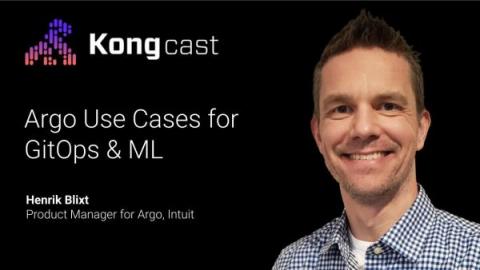
In this Kongcast episode, Henrik Blixt, Product Manager for Argo at Intuit, gives an introduction to Argo, an open source tool for Kubernetes and incubating project of CNCF. Check out the transcript and video from our conversation below, and be sure to subscribe to get email alerts for the latest new episodes.
MODAS is the world’s first Mobile DevOps, Performance, Productivity, and Maturity Assessment. What does it mean for teams wanting to gain more insight into optimizing their end-to-end DevOps processes?