Systems | Development | Analytics | API | Testing

Cloud vs. On-Premise: Incident Response with DreamFactory

When it comes to handling security breaches, cloud and on-premise environments offer vastly different incident response approaches. Here's what you need to know: Cloud setups prioritize speed and automation. They reduce recovery times by up to 80% with tools like automated playbooks, real-time monitoring, and built-in redundancy. On-premise systems offer full control over hardware and data but rely heavily on manual processes, leading to 25% longer recovery times on average.

Securing Government Procurement with Low-Code Platforms

Procurement applications sit at the heart of government operations. These systems are prime targets for cyber attacks because they manage critical, high-value data, including: They also connect with core enterprise systems (e.g., ERP, HR, financial management), creating additional risk points. In the wrong hands, this data could allow adversaries to piece together strategic mission capabilities. In this environment, security isn’t optional—it’s foundational.

Fix an error in Copilot without leaving your IDE

Production errors are every developer's nightmare. You're enjoying your coffee when suddenly alerts start firing - users are experiencing crashes, and you need to find and fix the issue fast. Today, we'll walk you through how to use AI to diagnose and fix critical errors in an application using Rollbar's MCP (Model Context Protocol) server.

Speedscale Proxymock: Freely testing cloud native apps alongside AI code assistants

We’ll always remember 2025 as the year AI code assistants went big. Copilot, Cursor, Claude, Windsurf, whatever. Developers went from mistrusting these tools, to being expected to turn over much of their coding labor to them. Even if, according to an extensive Stack Overflow survey, only 3 percent of professional developers say they ‘highly trust’ AI coding tools.

Retesting Explained: Definition, Steps, And Real-World Examples

After some testing and bug fixes, one common question always remains: how do teams make sure that those defects are truly resolved, and no new regressions creep in? That’s where retesting testing becomes vital. Retest testing forms a very important aspect of any QA cycle, ensuring that the reported defects are fixed and working correctly before the software moves to production. Without it, even simple patches can introduce silent issues into live environments.

Building Ecosystems for Humans and Agents: The New Consumer of APIs

For years, APIs have been designed with one primary audience in mind: developers. The focus has been on making APIs discoverable, consistent, and easy for humans to consume. But in the AI era, a new audience has arrived: AI agents. As detailed in SmartBear’s newly published AI-Enabled API Lifecycle Report, this shift demands that organizations rethink how APIs are designed, tested, and managed to serve both human developers and intelligent systems effectively.

Why Non-Code-Based Testing Must Become More Autonomous

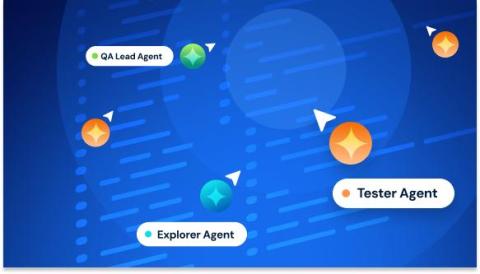
As coding has become more autonomous, so has code-based testing. AI agents can now write functions, generate code-based tests, and validate logic in the same workflow. But the other half of the testing equation, the system-level validation of non-code-based testing, hasn’t kept up. That disconnect is becoming one of the most critical constraints in modern software delivery.

Hybrid API Gateway Setup with DreamFactory: Securely Connect Cloud and On-Prem Systems

API gateways connect on-premises systems with cloud applications, managing tasks like authentication, traffic routing, and monitoring. Key Benefits: Centralized security to protect sensitive data. Reduced latency by processing requests closer to the data source. Simplified compliance for regulations like HIPAA and GDPR. Scalability and failover support for uninterrupted service. Setup Essentials: Secure connectivity using VPNs or dedicated links.

Perforce ALM Enhancements: Filtering and Tagging

The updates we make to Perforce ALM are deeply influenced by the real-world challenges our users face. We understand that those who work in highly regulated industries need trustworthy tools that deliver precision, traceability, and efficiency. That’s why we plan each round of ALM enhancements based directly on user comments and suggestions. This quick guide will look at recent updates around tagging and filtering and how to leverage these features for a more intuitive and efficient user experience.

Find Out How AI Is Helping Finance Teams Work Smarter in Excel

Most finance leaders are curious about AI—but hesitant to adopt it. The concern makes sense: what happens if automated systems pull the wrong data or miss critical details? Yet finance teams need some help. Teams are stretched thin. Reporting cycles are taking too long. When they’re relying on manual processes, they can’t keep pace with growth. Sound familiar? On a recent episode of the podcast “Don’t Panic!