DevSecOps: injecting security into the mobile CI/CD pipeline
A guide to understanding the concept behind DevSecOps and how you can inject security into your mobile CI/CD pipeline to deliver more secure mobile applications.


A guide to understanding the concept behind DevSecOps and how you can inject security into your mobile CI/CD pipeline to deliver more secure mobile applications.
Business analytics (BA) is the process of evaluating data in order to gauge business performance and to extract insights that may facilitate strategic planning. It aims to identify the factors that directly impact business performance, such as ie. revenue, user engagement, and technical availability. BA takes data from all business levels, from product and marketing, to operations and finance.
CDP Operational Database (COD) is a real-time auto-scaling operational database powered by Apache HBase and Apache Phoenix. It is one of the main Data Services that runs on Cloudera Data Platform (CDP) Public Cloud. You can access COD right from your CDP console. With COD, application developers can now leverage the power of HBase and Phoenix without the overheads related to deployment and management.
In this podcast episode, we talked to Applitools’ Angie Jones about all things related to test automation: tools, best practices, how to reach a higher level of DevTestOps, what role AI will play in software testing, and a lot more.
Testing your app before sending it to production is crucial. In this article, we're comparing the ten most popular testing tools to help you decide which one works best for your mobile project.
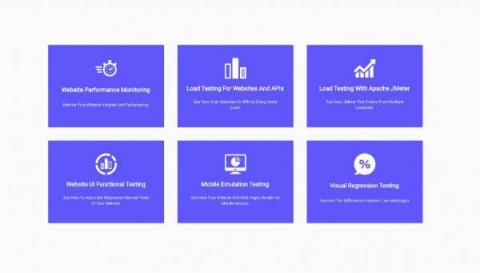
In this new work from home era, a lot of companies have moved more and more towards online services and new tools to keep their productivity at similar levels as before. It’s harder and harder to keep track of all the tools and services you use on a regular basis to test all your websites and API services of your business. Here at LoadFocus it gets easier and easier to make use of the integrated testing services we provide as of today.
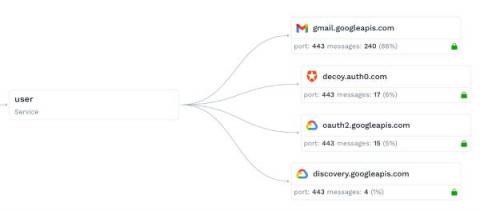
Building, running and scaling SaaS demo systems that run around the clock is a big engineering challenge. Through the power of traffic replay, we scaled our demos in a huge way. A few weeks ago we launched a new demo sandbox. This is actually a second generation version of our existing demo system that I built a few months ago (codename: decoy). Because the traffic viewer page shows the most recent data by default, you need to constantly be pumping new data in there. Any type of real-time SaaS system is going to have a similar requirement. So this needs to be planned.