Systems | Development | Analytics | API | Testing

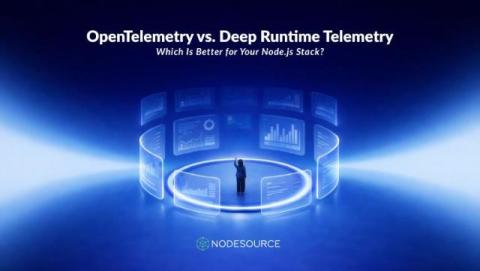
OpenTelemetry vs. Deep Runtime Telemetry: Which Is Better for Your Node.js Stack?

If you're running Node.js in production, you've likely heard the buzz around OpenTelemetry. It's the industry standard for observability, backed by major vendors, and it promises vendor-neutral telemetry collection across your entire stack. For many teams, it's a game-changer: finally, a unified way to collect traces, metrics, and logs without getting locked into a single vendor's ecosystem.

Optimizing Bitrise Build Cache clients

Having a build cache solution is a powerful way to speed up builds, especially at scale. Bitrise Build Cache already accelerates builds across multiple ecosystems, but to get the most out of it we also need to optimize the build cache clients themselves and ensure stability across changing network environments. In this blog post, I’ll walk through the steps we took to improve stability and performance for Bitrise Build Cache customers.

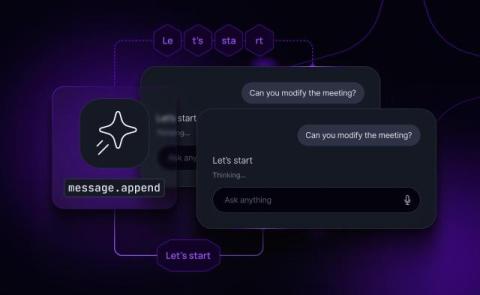
Appends for AI apps: Stream into a single message with Ably AI Transport

Streaming tokens is easy. Resuming cleanly is not. A user refreshes mid-response, another client joins late, a mobile connection drops for 10 seconds, and suddenly your “one answer” is 600 tiny messages that your UI has to stitch back together. Message history turns into fragments. You start building a side store just to reconstruct “the response so far”. This is not a model problem. It’s a delivery problem That’s why we developed message appends for Ably AI Transport.

How to add a new project in Bitrise

Learn how to add a new project to Bitrise CI with Senior PM Jeremy Palmer: selecting privacy settings, connecting your Git provider (like GitHub), and setting up webhooks to automatically trigger builds. Jeremy also covers the authorization steps, selecting a branch, and the auto-detection of your project's configuration settings.

Configuring a workflow using the Workflow Editor in Bitrise

In this video, Ben Boral introduces the Bitrise workflow editor, a GUI abstraction layer built on top of the YAML file that defines CI pipelines and workflows. The Workflow Editor makes users more productive, helps avoid errors, and allows for easily defining and maintaining workflows. The workflow editor generates syntactically valid YAML and is available in both online and local versions, providing the benefits of "pipeline as code" with greater ease of use.

Introducing Agent-Flavored Markdown (AFM): Natural Language Definitions for Framework-Agnostic AI Agents

Advances in large language models (LLMs) and their widespread accessibility have transformed both what software can do and how we build it. The use of LLMs has quickly evolved from simple single-turn interactions to AI agents that reason, use tools, manage state, and operate autonomously.

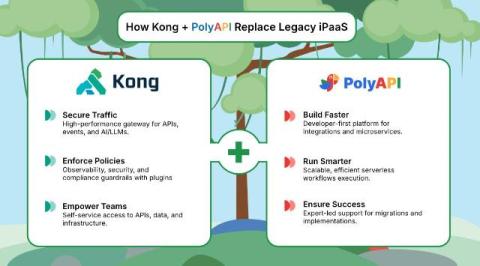
Modernizing Integration & API Management with Kong and PolyAPI

APIs and integrations are the foundation of the modern enterprise. Every organization needs to securely connect systems, move data, and automate workflows, all while maintaining control, visibility, and flexibility. Increasingly, those same APIs are also being consumed by AI-powered applications and agents that must interact safely with underlying business systems.

Secure AI at Scale: Prisma AIRS and Kong AI Gateway Now Integrated

In today's digital landscape, APIs are the backbone of modern applications, and AI is the engine of innovation. As organizations increasingly rely on microservices and AI-powered features, the API gateway has become the critical control point for managing traffic. But as LLM/GenAI and MCP requests flow through these gateways, they bring a new wave of security challenges.